Paano gumawa ng sarili mong online store.
Sundan lang ang 8 madaling hakbang. Walang bayad, walang credit card — pagkatapos, live na ang tindahan mo online.
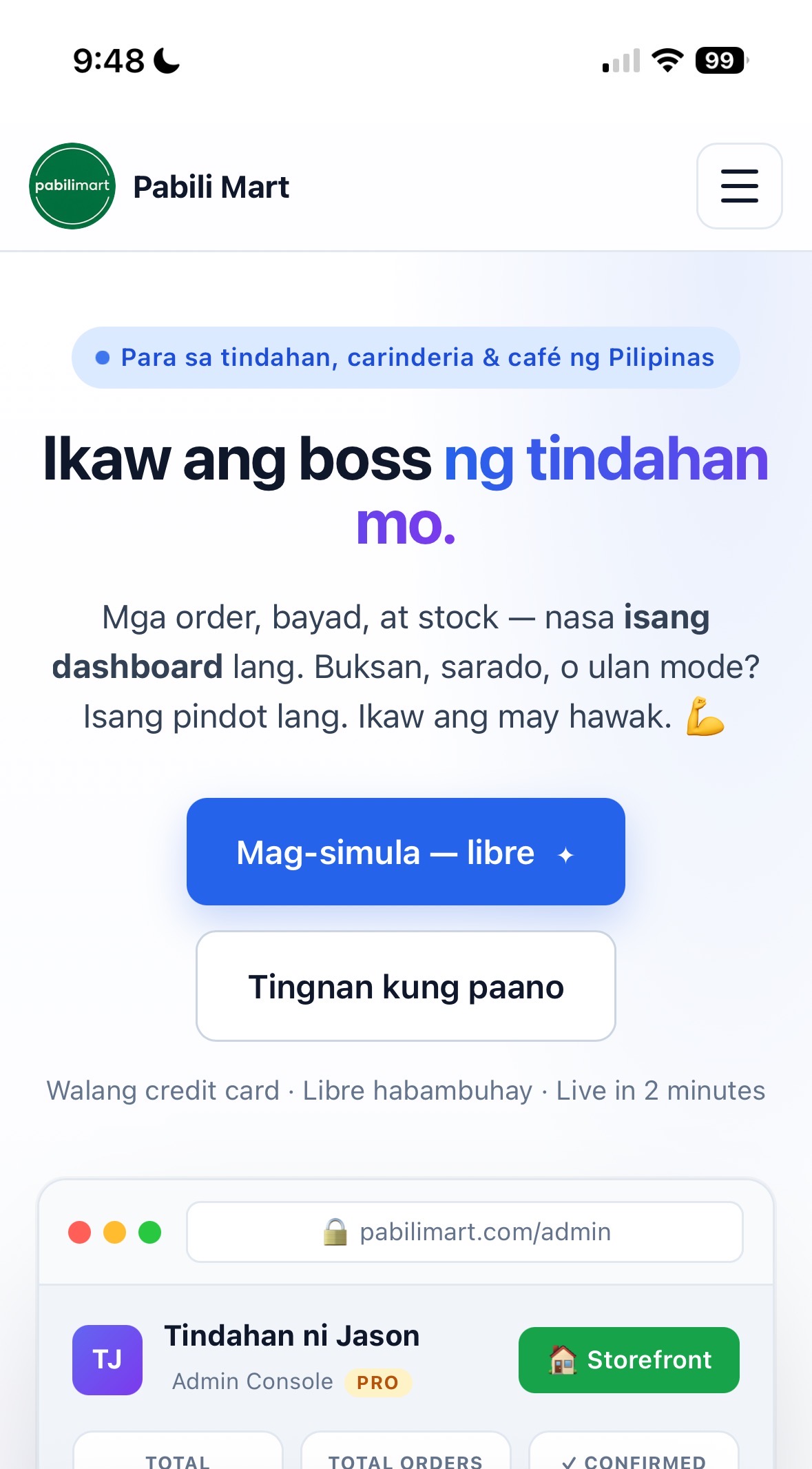
I-tap ang “Mag-simula — libre”
- Buksan ang pabilimart.com sa phone o computer mo.
- Sa home page, hanapin ang asul (blue) na button na “Mag-simula — libre” at i-tap ito.
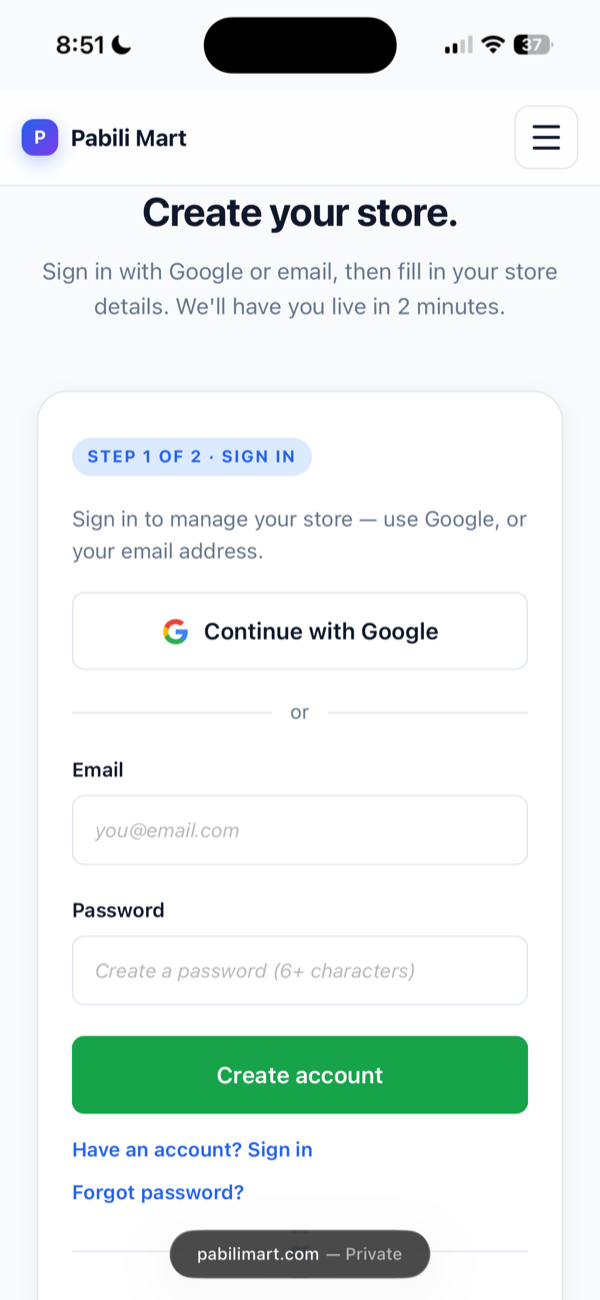
Gumawa ng account
- I-tap ang Continue with Google — ito ang pinaka-mabilis na paraan.
- O kaya, mag-type ng email at gumawa ng password (6+ characters), tapos i-tap ang Create account.
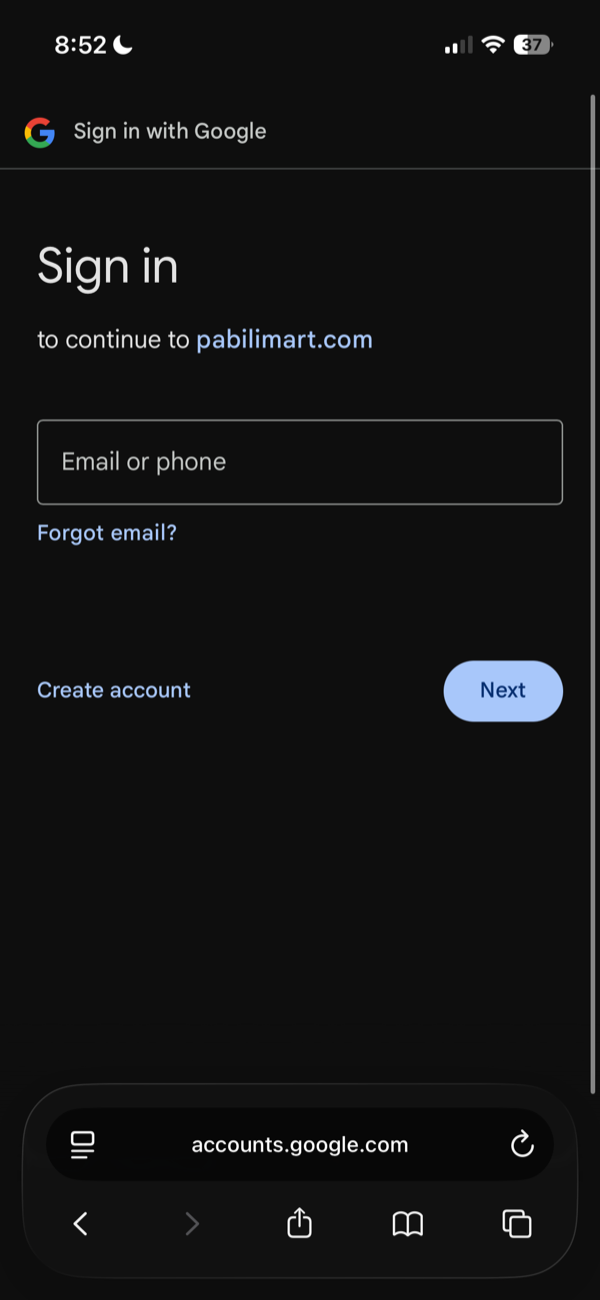
Piliin ang Google account mo
- Ilagay ang email or phone na naka-link sa Google mo, tapos i-tap ang Next.
- Sundan ang Google steps. Awtomatiko kang babalik sa Pabili Mart pagkatapos.
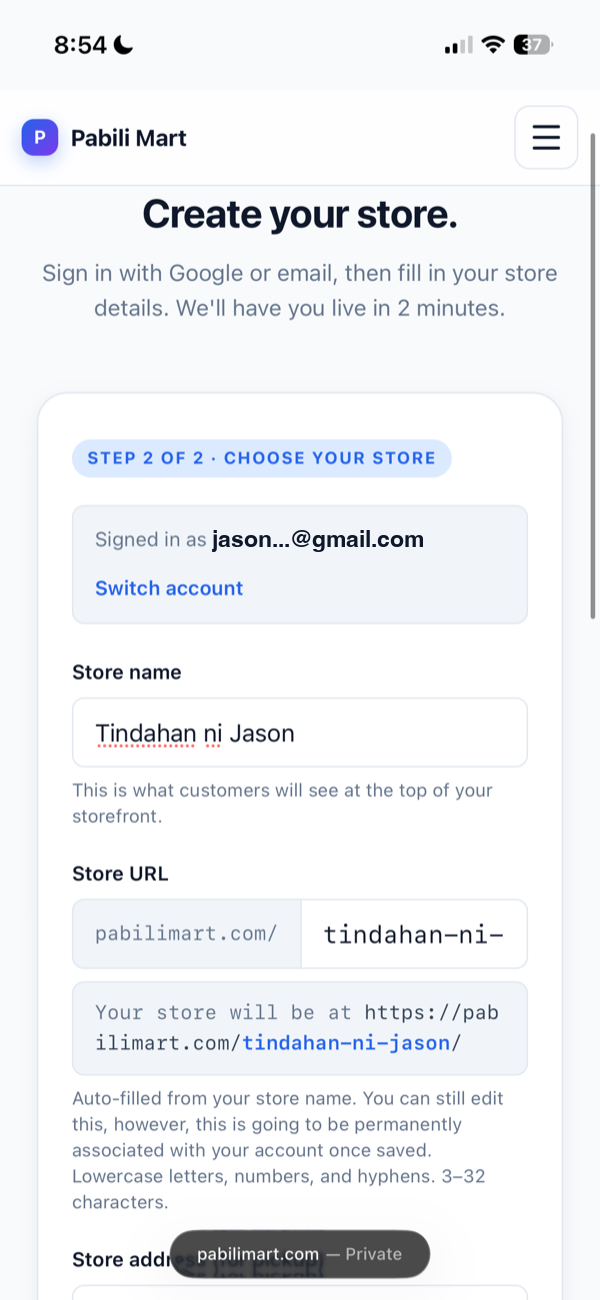
Ilagay ang pangalan ng store
- Sa Store name, i-type ang pangalan ng tindahan mo — ito ang makikita ng customers.
- Awtomatikong gagawa ng Store URL. Pwede mong i-edit — pero permanent na ito kapag na-save.
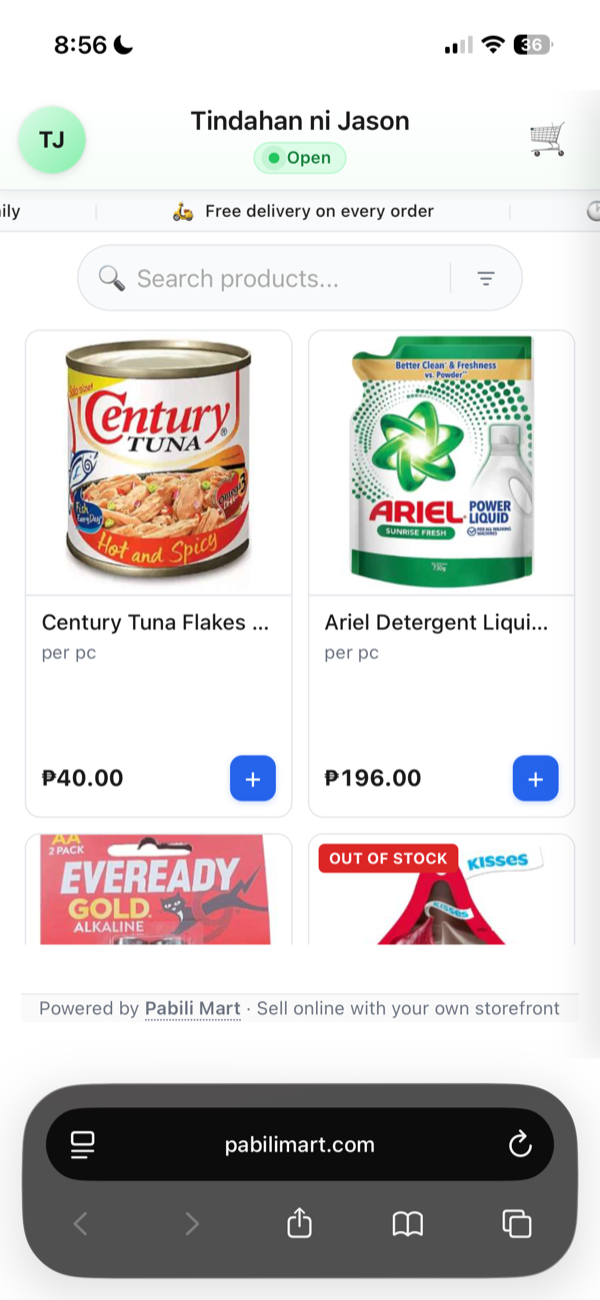
Punan ang details at GCash
- Store address — kung saan pwedeng mag-pickup ang customers.
- GCash name at phone number (11 digits, simula sa
09) — dito magpapadala ng bayad ang customers. - Invite code ay optional — iwanang blangko. Tapos i-tap ang Create my store.
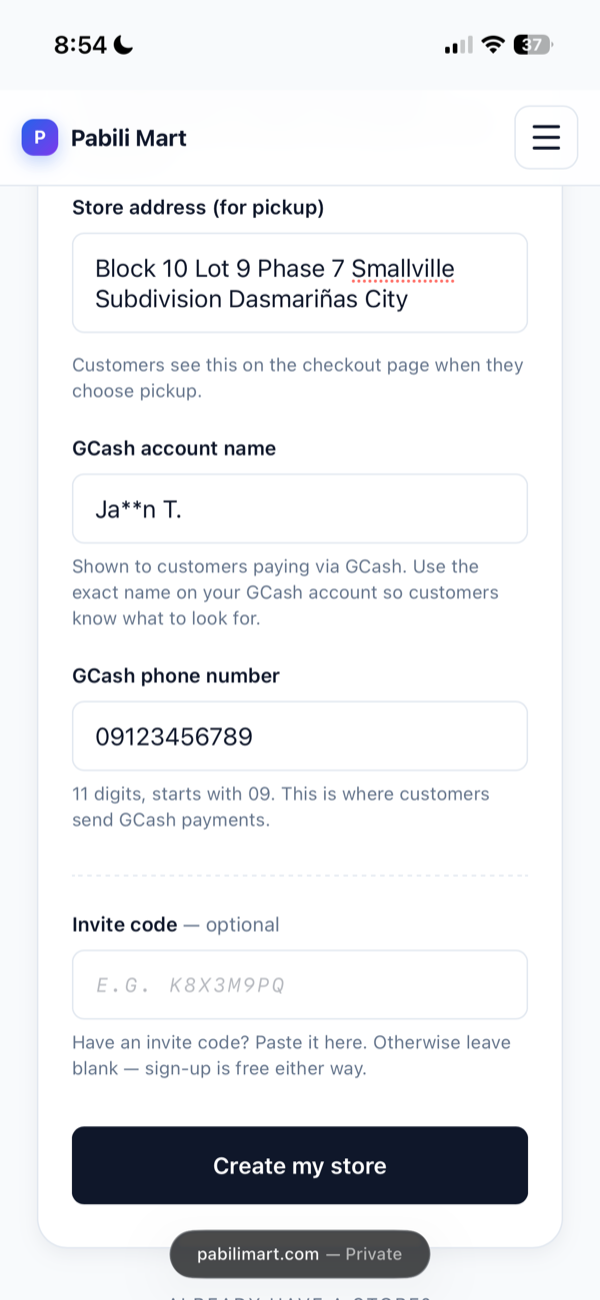
Ready na ang store mo
- May 2 links ka: ang Storefront (i-share sa customers) at ang Admin (para i-manage).
- Pre-loaded na ng 5 starter products — pwede mong i-edit o dagdagan. I-tap ang Open my admin.
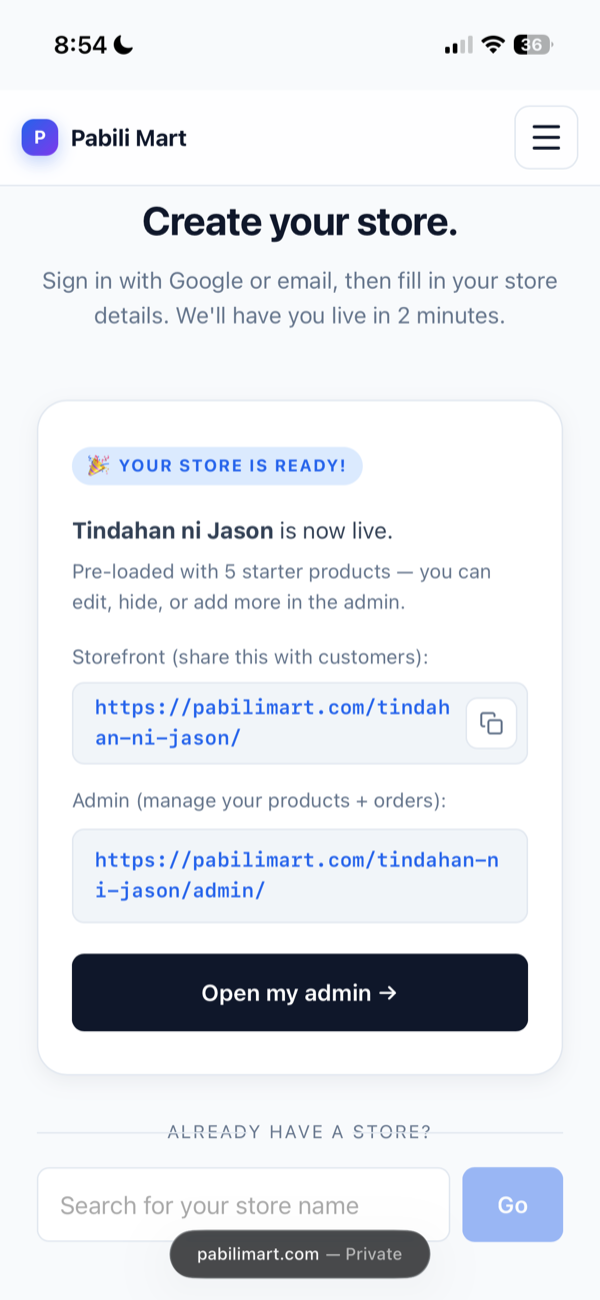
Ito ang Admin Dashboard mo
- Dito makikita ang sales stats mo: products, orders, confirmed, pending, at iba pa.
- Gamitin ang menu sa ibaba — Products para magdagdag ng items, Orders para sa orders ng customer.
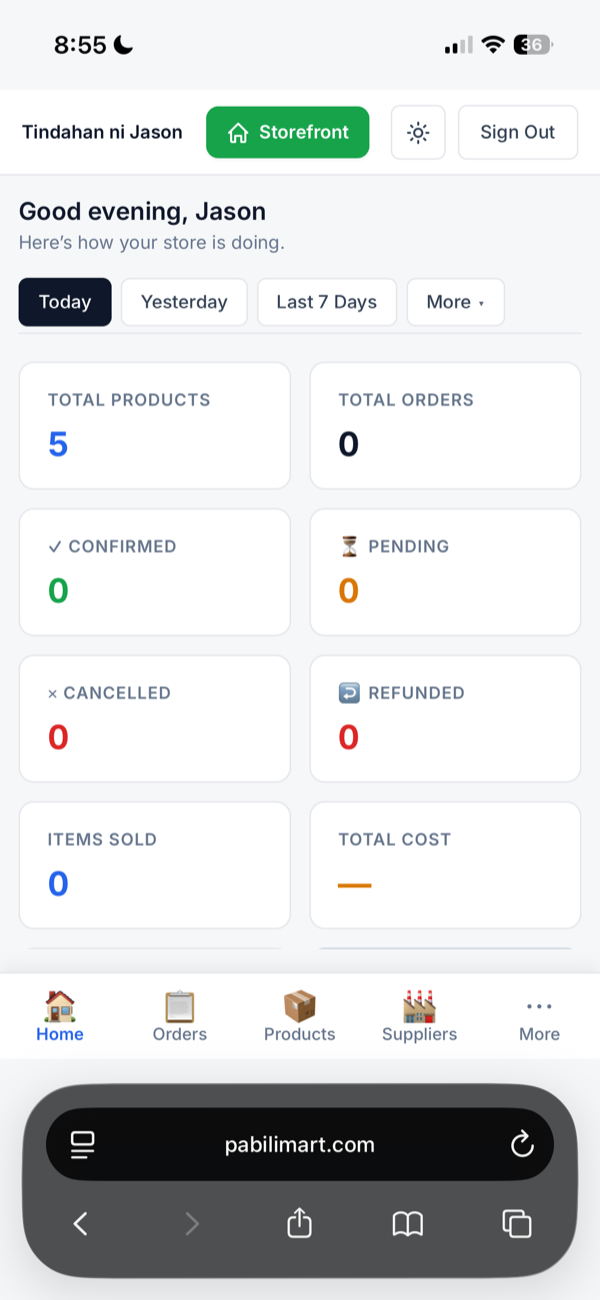
Ito ang nakikita ng customers
- Eto na ang live storefront mo — kumpleto na ng products at presyo.
- I-share ang link sa Facebook, Messenger, o sa mga suki para makapag-order na agad.
Handa nang magsimula?
Gawin live ang tindahan mo ngayon — 2 minuto lang, walang bayad.
Mag-simula — libre →Paano mag-order sa store.
Ipakita sa mga suki kung gaano kadali umorder — pumili, ilagay ang details, i-place. Cash on Delivery (COD): bayad kapag dumating na ang order.
Pumili ng produkto
- Sa storefront, i-browse o i-search ang gusto mong bilhin.
- I-tap ang ➕ button sa item para idagdag sa cart — lalabas ang bilang sa 🛒 sa taas.
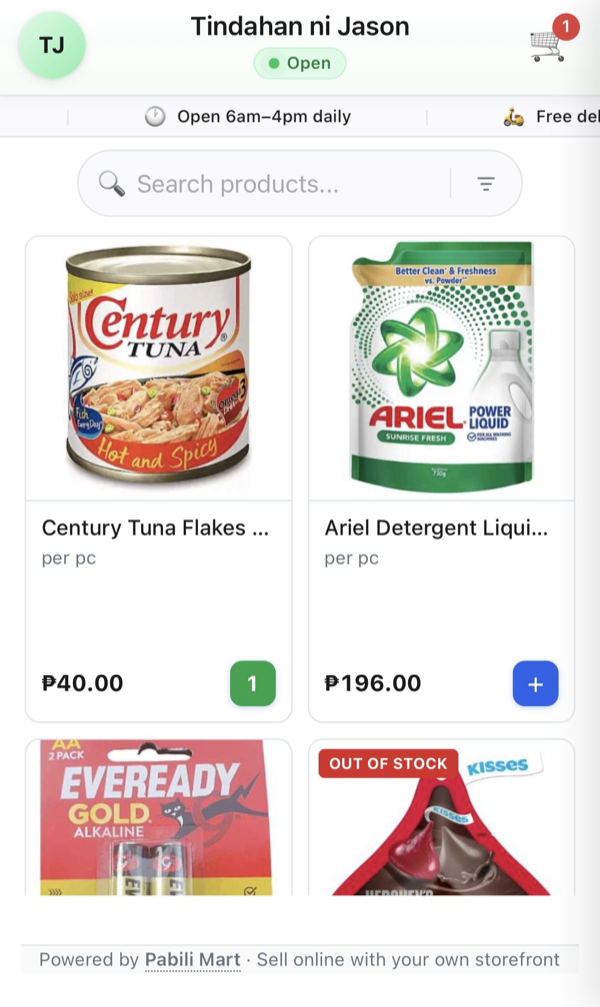
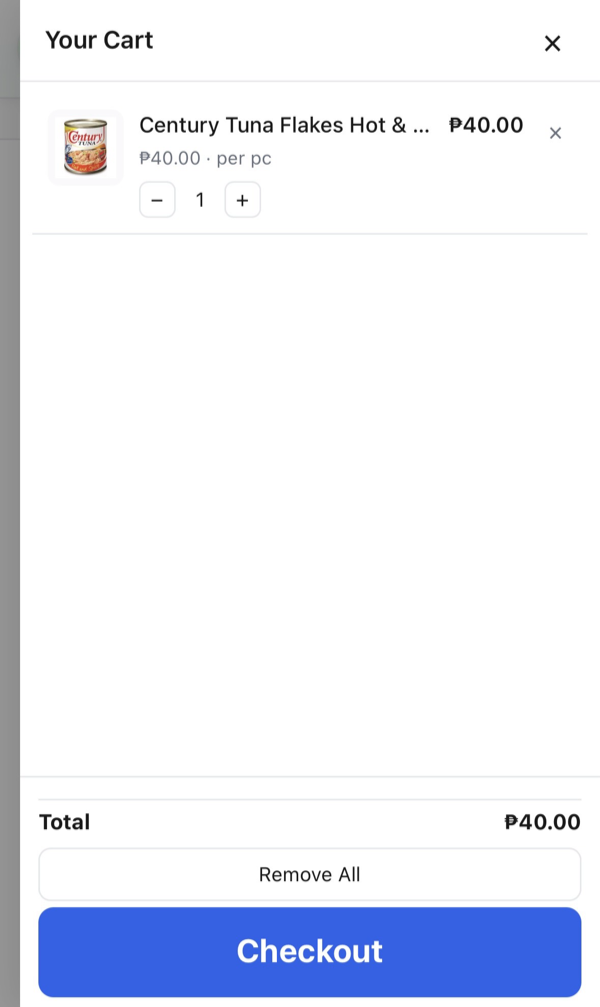
I-check ang iyong cart
- I-tap ang 🛒 cart icon sa taas para makita ang mga napili mo.
- Baguhin ang dami gamit ang ➖ / ➕, o alisin ang item. Tapos i-tap ang Checkout.
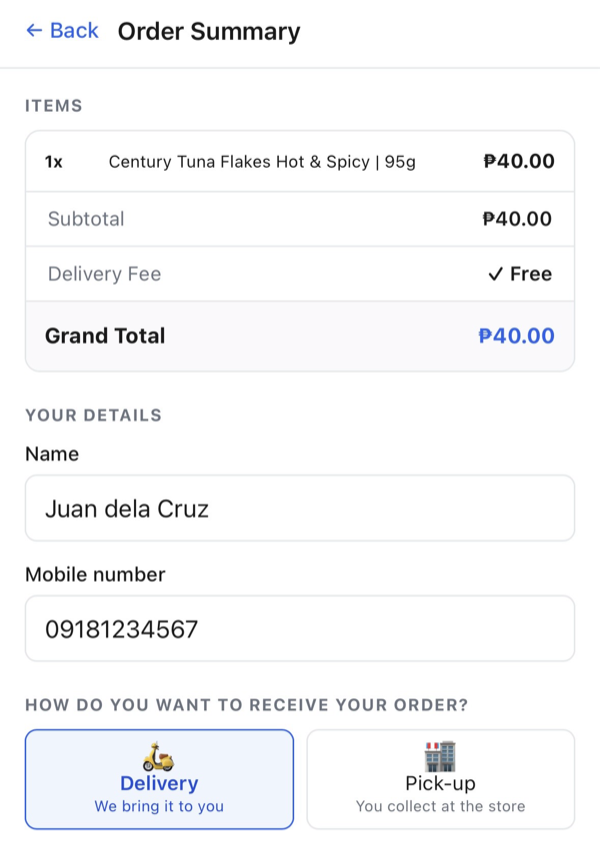
Ilagay ang iyong details
- Sa Order Summary, makikita ang items, subtotal, at total.
- Ilagay ang iyong Name at Mobile number.
- Piliin kung paano matatanggap: Delivery (ihahatid) o Pick-up (kukunin sa store).
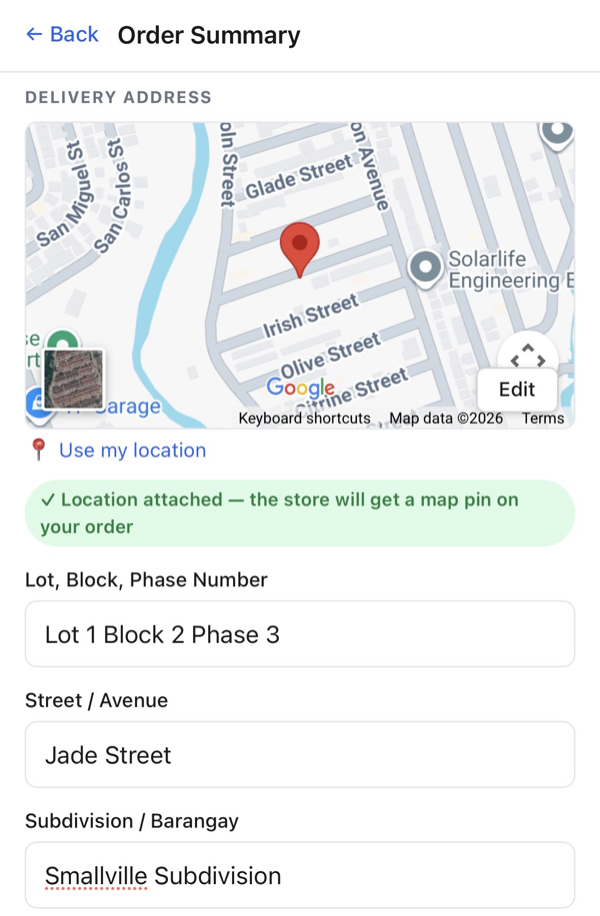
Ilagay ang delivery address
- I-tap ang Use my location para automatic na ma-pin sa mapa — malaking tulong sa rider.
- O kaya, i-type ang Lot/Block/Phase, Street/Avenue, at Subdivision/Barangay.
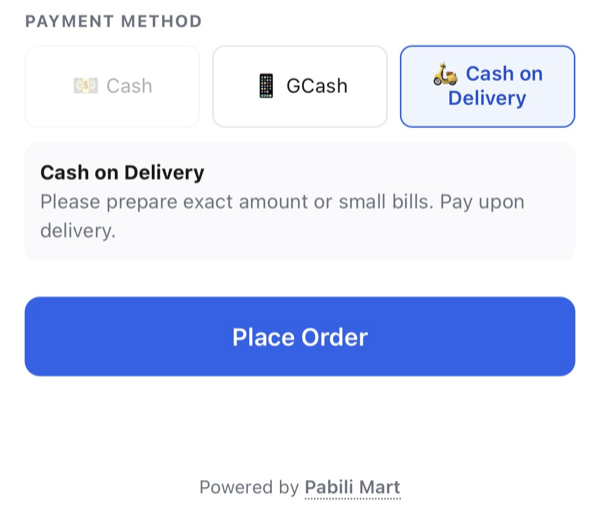
Piliin ang Cash on Delivery
- Sa Payment Method, piliin ang Cash on Delivery.
- Maghanda ng exact amount o barya — babayaran pagdating ng order. Tapos i-tap ang Place Order.
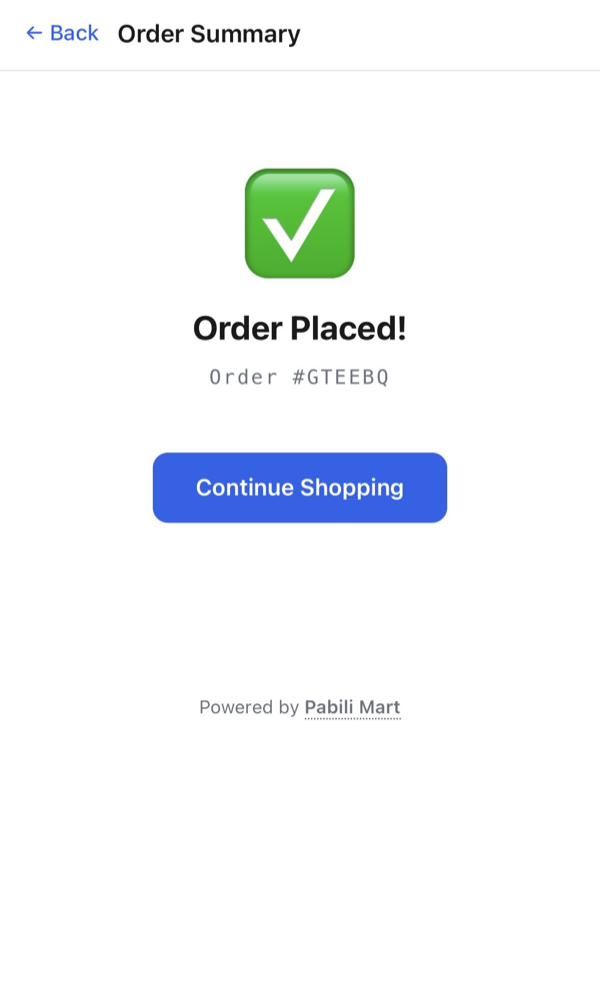
Order placed!
- Lalabas ang Order Placed! na may order number mo (hal. #GTEEBQ) — i-screenshot para reference.
- Hihintayin mo na lang i-confirm at ihatid ng store. I-tap ang Continue Shopping para mag-order ulit.
Gusto mo ng ganitong store?
Gawin live ang sarili mong tindahan — libre, 2 minuto lang.
Mag-simula — libre →Paano mag-accept ng order.
Pag may pumasok na order, i-check, i-confirm, at ihatid. Ganito ka-bilis i-manage ang mga order mo sa admin.
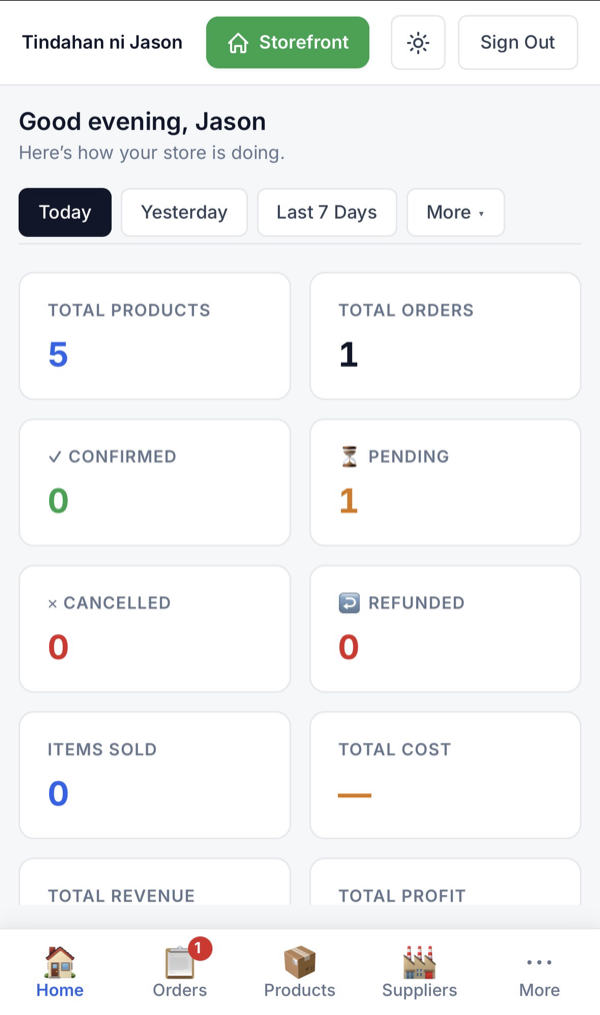
May bagong order!
- Sa iyong admin Home, tataas ang Total Orders at Pending. May red badge din sa Orders tab sa ibaba.
- I-tap ang Orders para makita ang detalye ng bagong order.
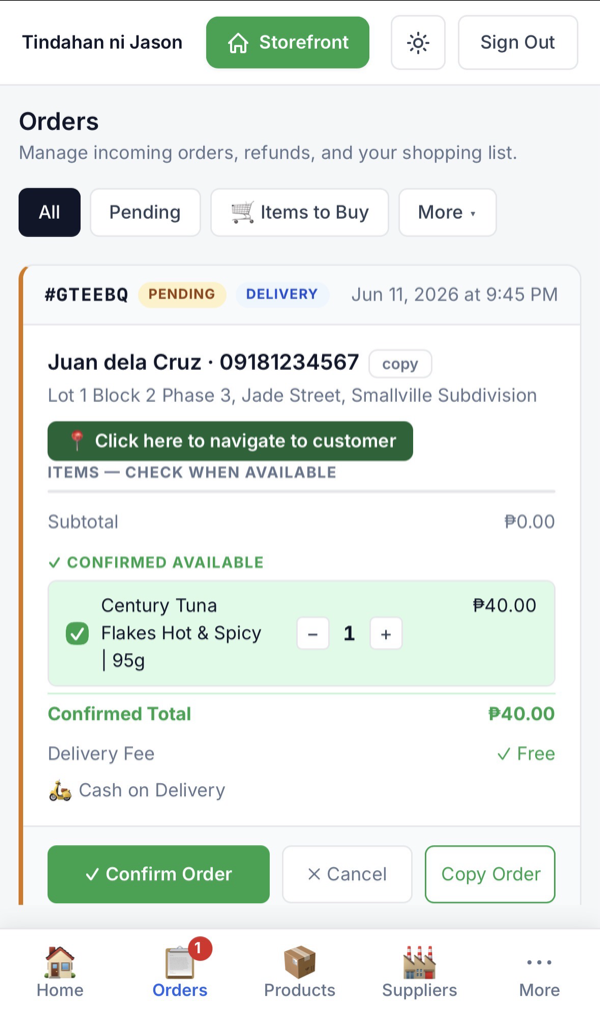
I-check at i-confirm ang order
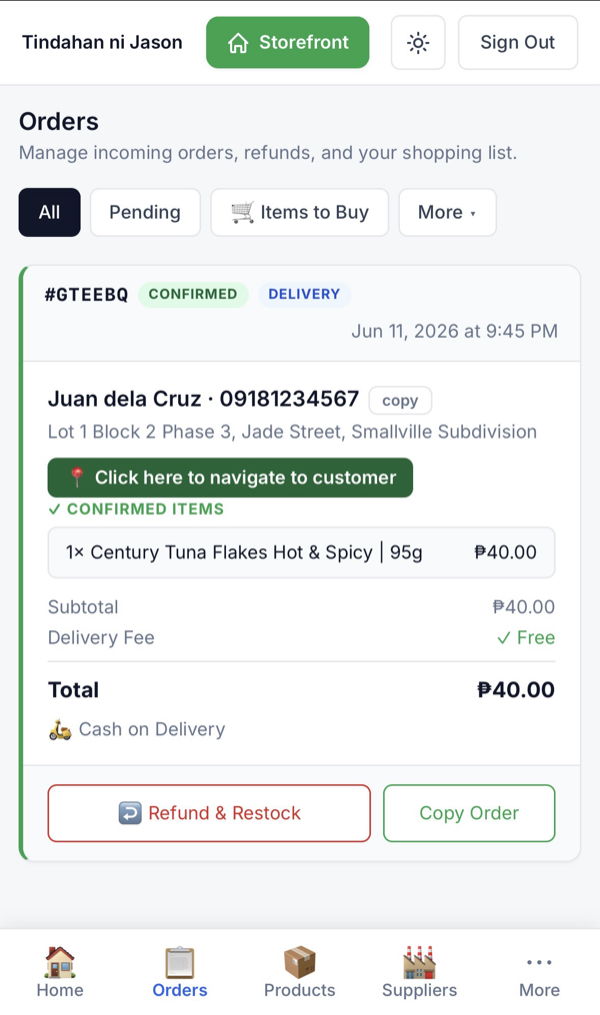
- Buksan ang order — makikita ang pangalan, contact, address, at items ng customer.
- Lagyan ng ✓ ang bawat item na available. I-tap ang “Click here to navigate to customer” para sa direksyon papunta sa kanya.
- Tapos i-tap ang Confirm Order. (I-tap ang Cancel kung hindi kaya i-serve.)
Confirmed — ihatid na!
- Magiging CONFIRMED na ang order, kasama ang confirmed items at total.
- Ihatid (o ipa-pickup) at kolektahin ang bayad. Kung may sauli, gamitin ang Refund & Restock.
Handa ka nang tumanggap ng orders?
Gawin live ang sarili mong tindahan — libre, 2 minuto lang.
Mag-simula — libre →Paano mag-add ng product.
Idagdag ang mga paninda mo sa admin — pangalan, presyo, photo — at agad itong lalabas sa storefront mo.
Pumunta sa Products
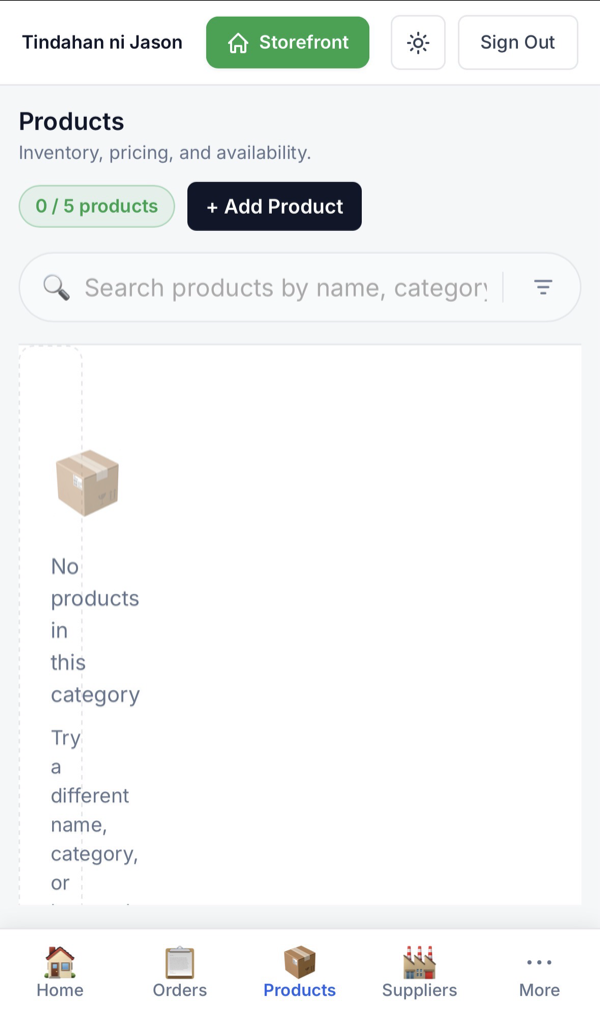
- Sa admin, i-tap ang Products tab sa ibaba.
- I-tap ang + Add Product.
Ilagay ang pangalan at presyo
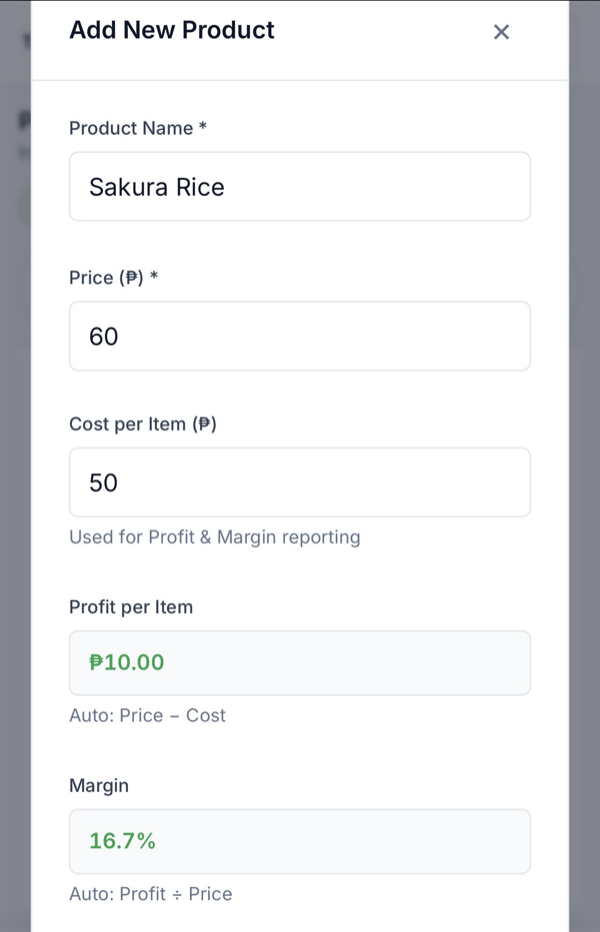
- Ilagay ang Product Name (hal. Sakura Rice).
- Ilagay ang Price. Pwede ring ilagay ang Cost per Item — automatic na kakalkulahin ang Profit at Margin mo.
Category, unit, at stock
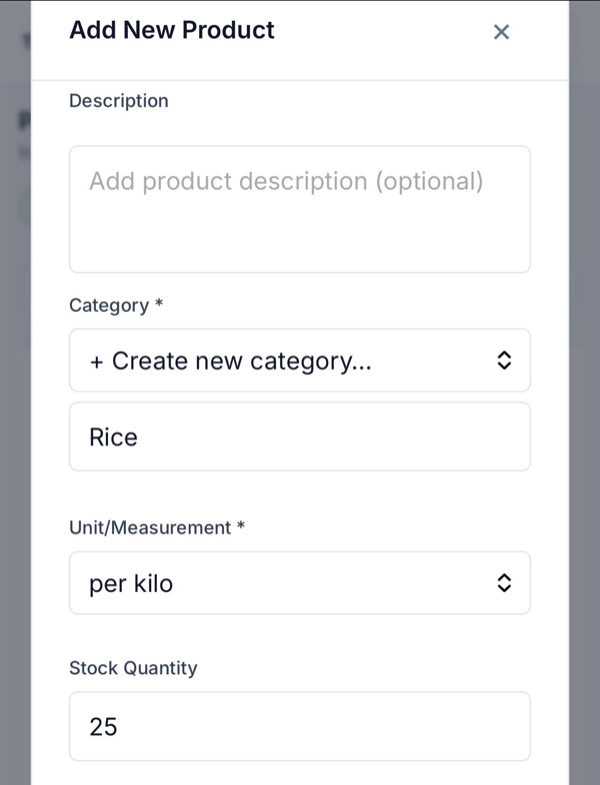
- Pumili o gumawa ng Category (hal. Rice).
- Piliin ang Unit/Measurement (hal. per kilo).
- Ilagay ang Stock Quantity. Pwedeng magdagdag ng Description (optional).
Magdagdag ng photo, tapos i-save
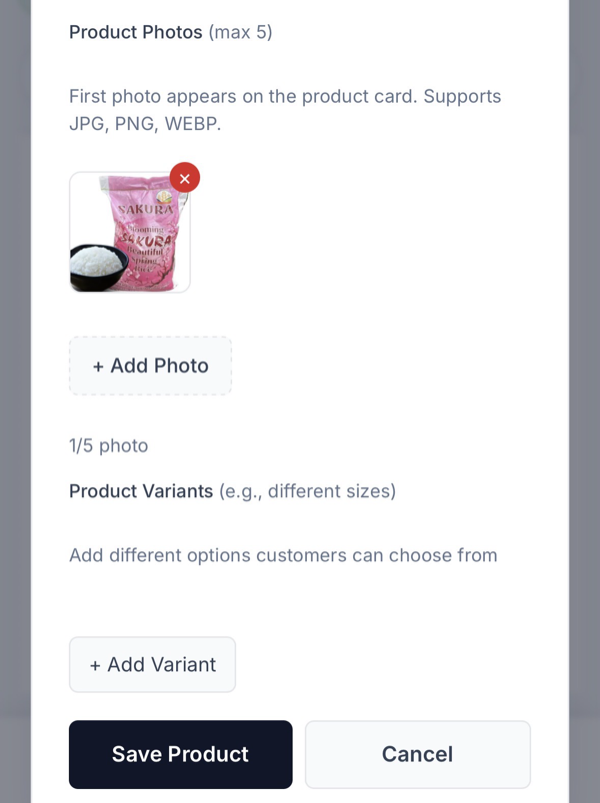
- Sa Product Photos, mag-add ng litrato (hanggang 5). Ang unang photo ang lalabas sa product card. Supports JPG, PNG, WEBP.
- (Optional) Magdagdag ng Variants kung may iba't ibang size o option. Tapos i-tap ang Save Product.
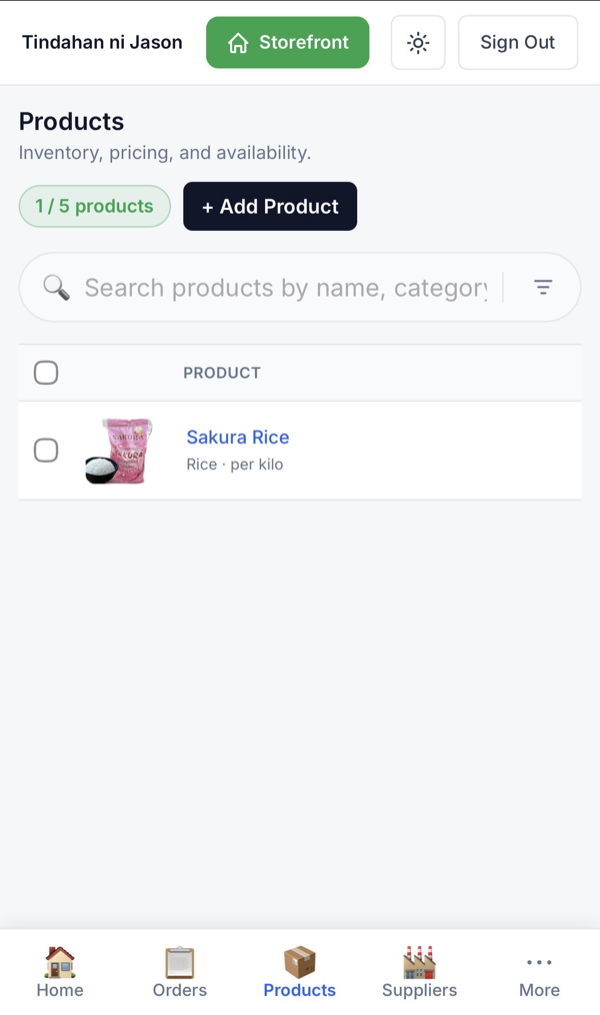
Nasa Products list na
- Makikita mo na ang bagong product sa Products list, at tataas ang product count.
- Pwede mong i-edit, itago, o dagdagan ng stock anumang oras.
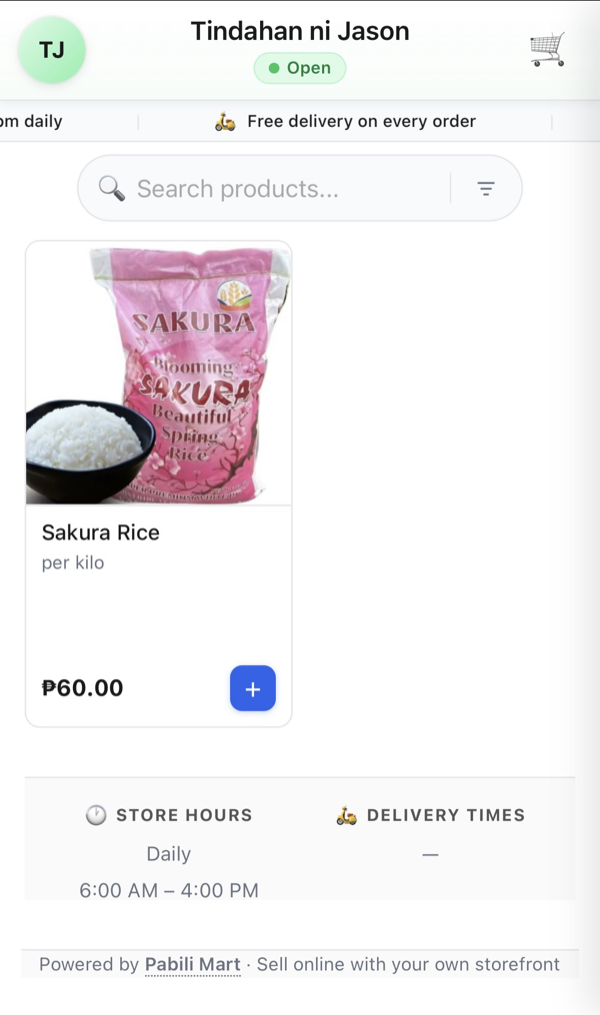
Live na sa storefront!
- Lalabas na agad ang product sa iyong storefront — kumpleto ng photo at presyo.
- Pwede nang i-order ng mga customer. Ulitin lang para magdagdag pa ng paninda.
Handa nang mag-benta?
Gawin live ang sarili mong tindahan — libre, 2 minuto lang.
Mag-simula — libre →Paano gumawa ng QR code.
Gumawa ng QR code ng storefront mo para madaling ma-scan at ma-order ng customers — i-print sa tarpaulin, flyer, o packaging.
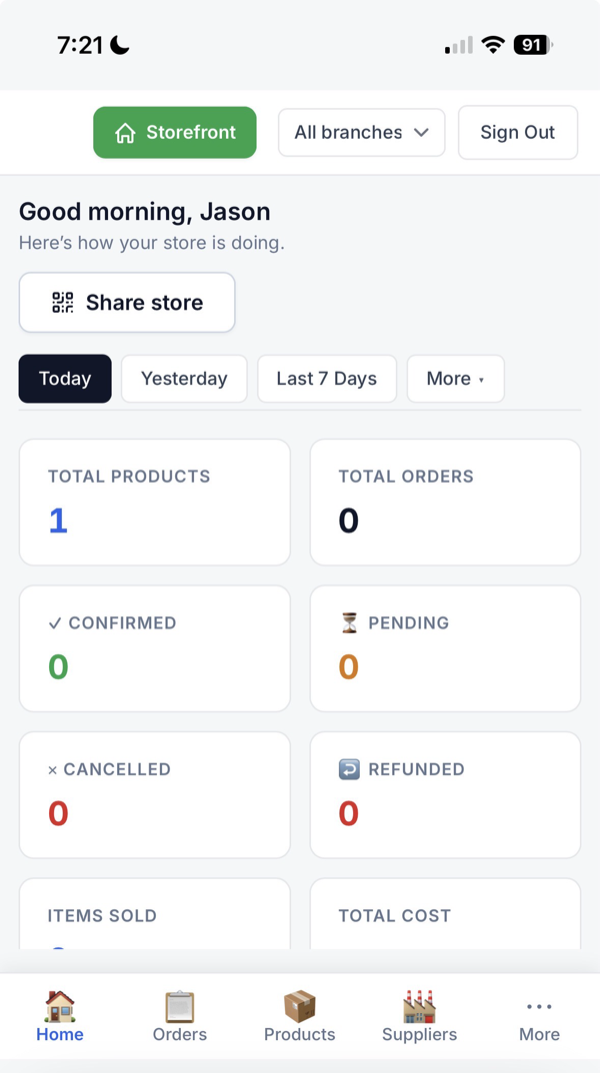
I-tap ang “Share store”
- Sa iyong admin Home, hanapin ang “Share store” button sa itaas.
- I-tap ito para gumawa ng QR code ng storefront mo.
Lalabas ang QR code mo
- Awtomatikong gagawa ng QR code na naka-link sa storefront mo (may logo sa gitna).
- Pwede mong i-tap ang Copy link para kopyahin ang storefront URL.
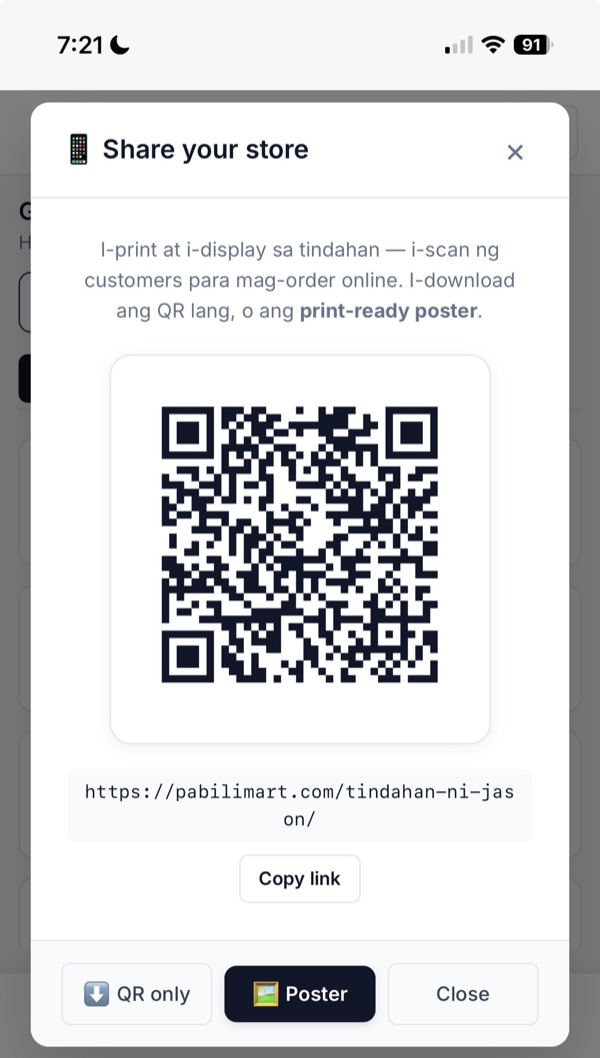
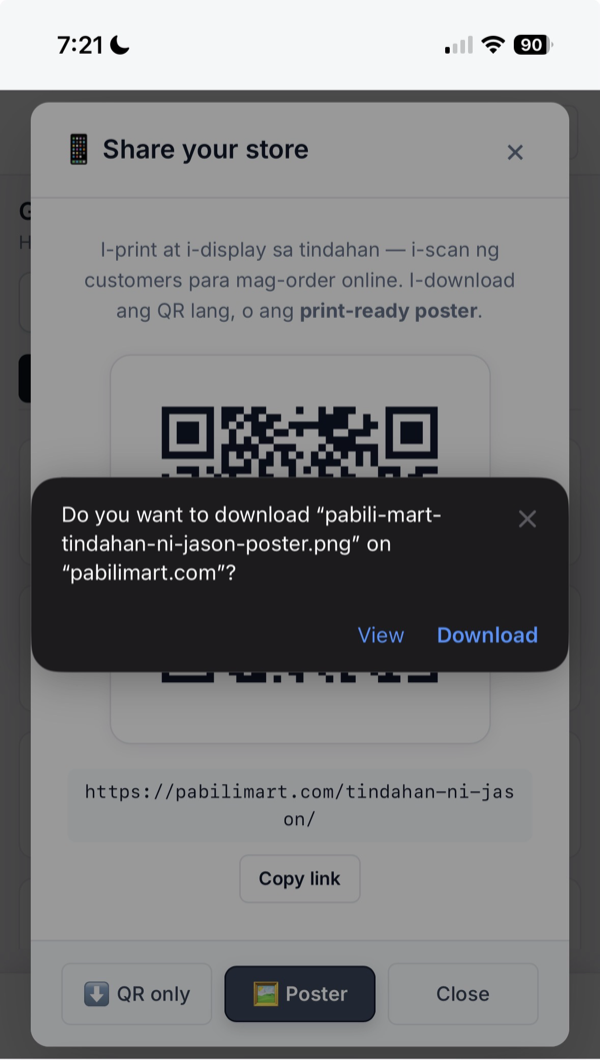
I-download ang QR o poster
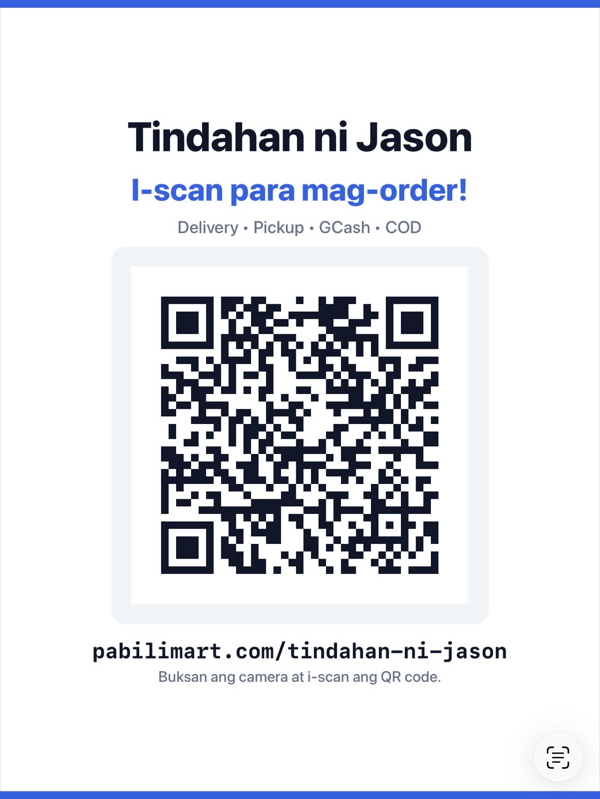
- I-tap ang QR only para sa QR code lang, o Poster para sa print-ready poster (may store name at presyo-ready na design).
- I-confirm ang download — mase-save ito bilang PNG.
I-print at i-display!
- Eto na ang QR/poster mo — i-print at i-display sa tindahan, tarpaulin, flyer, o packaging.
- I-scan lang ng customer gamit ang camera → diretso sa storefront mo para mag-order.
Handa nang mag-benta online?
Gawin live ang sarili mong tindahan — libre, 2 minuto lang.
Mag-simula — libre →